Elasticsearch at Scale: Search, Logs, Security, and Vector AI
Elasticsearch at Scale: Search, Logs, Security, and Vector AI
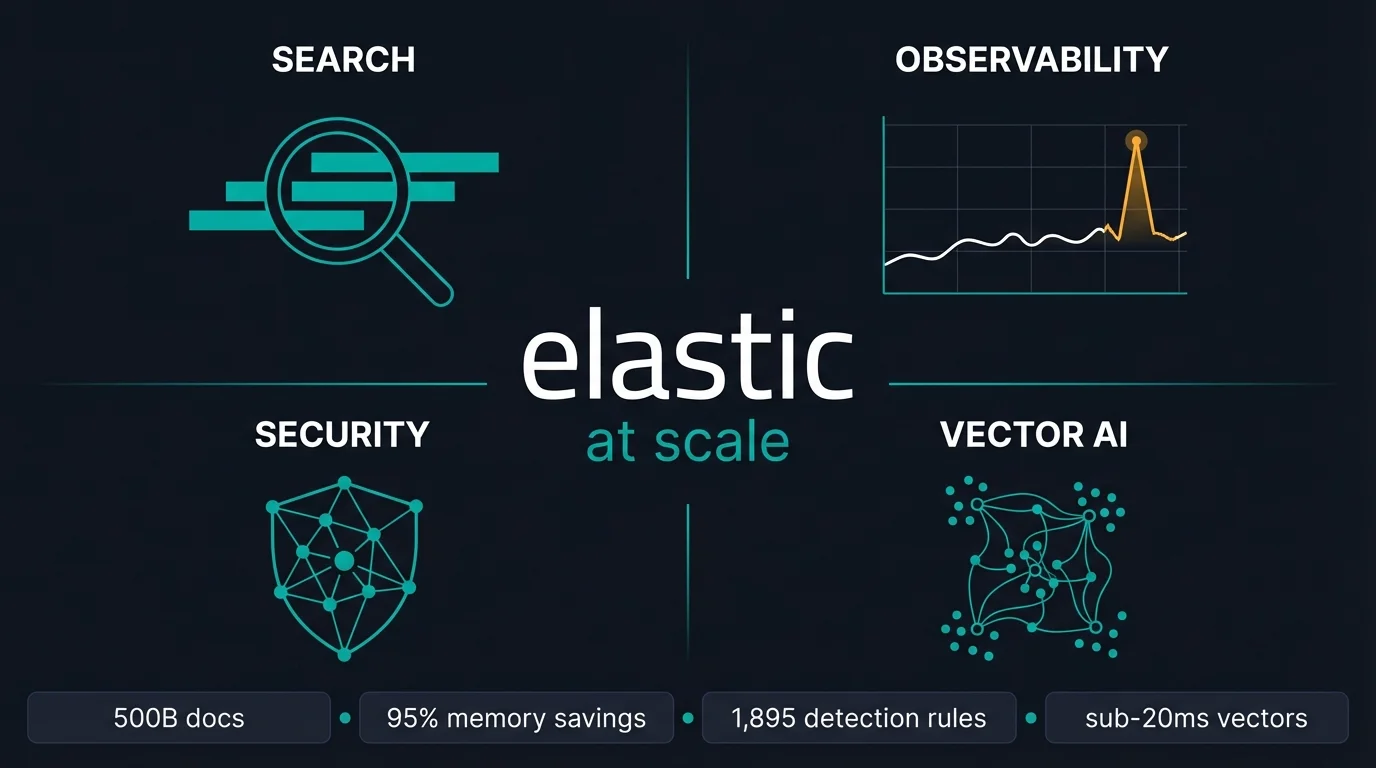
Elasticsearch runs at extremes most databases never face. Verizon indexes 500 billion documents (Elastic customer stories). GitHub serves search across 130 billion lines of code (GitHub Engineering Blog). ES|QL (Elasticsearch Query Language) is now active on over 10,000 clusters per week (Elastic, 2025). The question isn't whether it scales — it's how it scales across four distinct workload profiles: Search, Observability, Security, and AI/ML. Each profile has its own bottlenecks, its own tuning levers, and its own hosting story.
Key Takeaways
- ES|QL cross-cluster search is GA in 9.1, tested at 250 clusters with logarithmic coordination overhead — not linear (Elastic Search Labs, 2025).
- LogsDB cuts storage by up to 65% vs standard index mode, with a further 16% reduction and 19% indexing throughput gain in 8.19/9.1 (BusinessWire, Dec 2024).
- BBQ achieves 95% memory reduction vs standard HNSW and runs 5x faster than OpenSearch FAISS at Recall@10 — 11.70ms vs 35.59ms (Elastic Search Labs, 2025).
- Elastic Serverless is GA across 26 regions on AWS, Azure, and GCP. The January 2026 AWS Graviton upgrade delivered 35% lower average search latency at no extra cost (Elastic Search Labs, 2026).
- Shard sizing: 10-50 GB per shard, max 200 million documents, 1 GB master heap per 3,000 indices (Elastic docs).
How Does Elasticsearch Scale for Search?
Cross-cluster ES|QL and shard discipline are what make search scale in 2026 — not just adding nodes. ES|QL cross-cluster search went GA in 9.1, tested against 250 clusters with logarithmic coordination overhead (Elastic Search Labs, 2025). Logarithmic overhead means the growth curve flattens at scale. Linear overhead would mean 250 clusters costs 250x a single cluster — which is exactly why the architecture distinction matters for multi-region deployments.
ES|QL is active on 10,000+ clusters per week, which signals something beyond adoption numbers (BusinessWire, 2025). Teams are consolidating query logic into a single pipe-based language rather than splitting workloads across the query DSL, aggregations API, and transforms. One tool instead of three — and one query plan for any observability or audit tooling that wraps it.
Shard Sizing Still Matters
Shard sizing is where most cluster health problems start. Elastic's production guidance is 10-50 GB per shard, hard ceiling at 200 million documents. Master node heap should be sized at 1 GB per 3,000 indices (Elastic docs). Overshooting these targets causes slow GC pauses on masters, hot shard imbalances, and recovery times that turn a single node loss into an hour-long incident. For time-series workloads, enforce it automatically via ILM:
PUT _ilm/policy/logs-policy
{
  "policy": {
    "phases": {
      "hot": {
        "actions": {
          "rollover": {
            "max_primary_shard_size": "50gb",
            "max_age": "7d",
            "max_docs": 200000000
          }
        }
      },
      "warm": {
        "min_age": "7d",
        "actions": {
          "shrink": { "number_of_shards": 1 },
          "forcemerge": { "max_num_segments": 1 }
        }
      },
      "cold": {
        "min_age": "30d",
        "actions": { "freeze": {} }
      },
      "delete": {
        "min_age": "90d",
        "actions": { "delete": {} }
      }
    }
  }
}
ES|QL Filter Pushdown and LOOKUP JOIN
Elasticsearch 9.1 delivered an 86x filter pushdown speedup for query shapes where filters evaluate against segment metadata rather than individual documents (Elastic blog, 2025). For high-cardinality filtered searches, that gap translates to sub-millisecond responses on warm indices. LOOKUP JOIN adds cross-index enrichment at query time — no pre-materialised join index, no extra pipeline step:
FROM logs-*
| WHERE event.category == "authentication"
| LOOKUP JOIN threat-intel-latest ON source.ip
| WHERE threat_score > 7
| STATS count = COUNT(*) BY source.ip, threat_category
| SORT count DESC
| LIMIT 20
The consolidation value of ES|QL is often framed as developer experience. The operational win is different: fewer API surfaces to monitor, one query plan for observability tooling, and a single audit trail for what queries ran and when. Platform engineers managing shared clusters benefit more from that than from the syntax.
For thread pool metrics, JVM heap, and production alerting rules, see Elasticsearch Stack Monitoring.
What Does Elasticsearch's Observability Story Look Like at Scale?
LogsDB changed the storage math, and the numbers are large enough to affect infrastructure cost directly. Teams migrating from standard index mode to LogsDB report up to 65% storage reduction (BusinessWire, Dec 2024). The 8.19/9.1 enhancements pushed further — 16% additional storage reduction and 19% higher indexing throughput compared to the 8.17 baseline (Elastic blog, 2025). A team ingesting 10 TB/day saves the equivalent of running fewer hot nodes. At petabyte scale, that saving flows straight into infrastructure cost.
Source: BusinessWire, Dec 2024 · Elastic blog, 2025
OTLP at Scale — Kafka-Backed Ingestion
The Managed OTLP Endpoint went GA on Elastic Cloud Hosted in March 2026. Its Kafka-backed architecture absorbs traffic spikes without applying back-pressure to the sending application — there's no static ingest ceiling to size around (Elastic Observability Labs, 2026). The buffer handles burst, and Elasticsearch catches up asynchronously. EDOT (Elastic Distributions of OpenTelemetry), GA since 9.0, covers all major language SDKs with zero-code instrumentation and centralised config delivery via OpAMP — so teams already on OTel get a direct path in without rewriting instrumentation.
Streams and AI-Assisted Log Parsing
Streams went GA in 9.2. It's a Kibana-native data stream manager that handles AI-driven field extraction, anomaly surfacing via Significant Events detection, and routing rules — all without pre-engineered ingest pipelines. For teams with unstructured log formats from third-party systems, Streams removes the pipeline engineering step, which in practice often means removing the ongoing maintenance of Logstash configurations built by people who have long since left the team.
The teams I've seen struggle most with log scale aren't hitting Elasticsearch's ingest limits — they're drowning in the maintenance burden of Logstash pipelines they didn't write. Streams addresses that directly. You don't need to understand the original pipeline to change the routing.
Elastic was named a Leader in the 2025 IDC MarketScape for Worldwide Observability Platforms (BusinessWire, Nov 2025). That covers the integrated stack — traces, metrics, APM, synthetics, and alerting alongside log storage. For a complete walkthrough of EDOT setup and OTel ingestion, see Observability with Elasticsearch and EDOT.
How Does Elastic Security Scale for Large SIEM Deployments?
Elastic Security ships with 1,895+ prebuilt detection rules mapped across 54+ data sources and 70+ ML jobs (Elastic Detection Rules Explorer, March 2026). Rule count sets the coverage baseline, but it isn't the scale story. The real problem at scale is what happens when those rules fire across petabytes of event data and three analysts need to triage the output.
The bottleneck in large SIEM deployments isn't ingestion throughput — it's analyst throughput. Elasticsearch can ingest petabytes per day without issue. The harder constraint is that 1,895 detection rules firing across that volume generates more alerts than any team reviews manually. This is where Elastic's scale story actually differentiates from raw ingest capacity.
That's where Attack Discovery, GA in 9.0, changes the calculus. It uses AI-assisted triage to correlate alerts across SIEM, XDR, and cloud security into discrete attack narratives — collapsing multi-stage kill chains that would otherwise take hours to reconstruct from individual alerts. Alongside it, Automatic Migration handles rule import from Splunk and QRadar, removing the switching friction for teams moving off legacy SIEM platforms. The Threat Hunting Agent, GA in 9.3, then unifies Alerts, Entity Risk Scores, and Attack Discovery into a single investigation surface.
Elastic was named a Visionary in the 2025 Gartner Magic Quadrant for SIEM (Elastic blog, 2025).
Is Elasticsearch Competitive as a Vector Store at Scale?
The RAM cost of running HNSW at scale dropped by an order of magnitude across two releases. BBQ (Better Binary Quantization), the default quantization in 9.1, achieves 95% memory reduction versus standard HNSW and benchmarks at 5x faster than OpenSearch FAISS at Recall@10 — 11.70ms vs 35.59ms (Elastic Search Labs, 2025).
ACORN filtered vector search, GA in 9.1, delivers 5x faster results than brute-force at high filter selectivity (Elastic Search Labs, 2025). High filter selectivity — searching 10,000 documents from a 100-million-document index — is exactly where naive HNSW implementations fall apart. ACORN handles that by integrating filtering directly into the graph traversal rather than as a post-filter step.
Source: Elastic Search Labs — BBQ vs OpenSearch FAISS benchmarks, 2025
DiskBBQ — Sub-20ms at 101 MB RAM
DiskBBQ, GA in 9.2, changes the economics further. At a 101 MB RAM budget: 15.83ms latency. At 150 MB: 12.13ms (DiskBBQ) vs 289.7ms (HNSW) — a 24x difference at that memory constraint (Elastic Search Labs, 2025). For teams running large vector indices on memory-constrained nodes, this opens configurations that weren't previously viable:
PUT /product-search
{
  "mappings": {
    "properties": {
      "title": { "type": "text" },
      "category": { "type": "keyword" },
      "embedding": {
        "type": "dense_vector",
        "dims": 384,
        "index": true,
        "similarity": "cosine",
        "index_options": {
          "type": "bbq_hnsw"
        }
      }
    }
  }
}
Source: Elastic Search Labs — DiskBBQ and HNSWBBQ benchmarks, 2025
GPU Acceleration and the Inference Service
The Elastic Inference Service (EIS) delivers up to 10x GPU inference throughput vs CPU for embedding generation (BusinessWire, Oct 2025). GPU vector indexing tech preview in 9.3 takes that further: 12x indexing throughput and 7x faster force-merge via NVIDIA cuVS (Elastic Search Labs, 2025).
Elasticsearch vs Dedicated Vector Databases
The primary argument for dedicated vector databases (Pinecone, Weaviate) is depth: richer filtering APIs and native multi-tenancy isolation. The argument against is operational complexity. Co-locating dense vectors, sparse ELSER embeddings, and full-text data in one index eliminates dual-write pipelines — no data sync, no eventual consistency window between your search index and your vector index. One index serves hybrid BM25 + semantic queries in a single request.
For teams already running Elasticsearch, the question is whether dedicated vector DB isolation primitives are worth operating a second cluster and a sync pipeline. For most teams, the co-location tradeoff is the better operational call.
For the full vector search and RAG setup, see Elasticsearch AI Platform.
Hosting at Scale: On-Prem, Cloud Hosted, or Serverless?
The hosting choice shapes your scaling model more than any single configuration decision. Each option has a different operational profile and cost model.
On-Premises (Self-Managed)
Self-managed gives full hardware control and no egress costs between Elasticsearch and co-located data sources. The operational burden is real: node management, major version upgrades, capacity planning, ILM tuning, and JVM sizing are yours to own. AutoOps, available for self-managed Enterprise clusters on 7.17+, provides automated recommendations for thread pools, JVM settings, and shard rebalancing — it surfaces the right interventions before they become incidents, though it doesn't eliminate the underlying ownership.
Best fit: data sovereignty requirements, regulated industries with specific residency rules, or teams with dedicated platform engineering capacity that need full configuration depth.
Elastic Cloud Hosted (ECH)
ECH manages the control plane with autoscaling across node tiers. You keep full configuration control — custom analyzers, allocation filters, specific index settings, custom JVM flags. Upgrades are assisted rather than automatic. Best fit: stable, predictable workloads where the team wants managed infrastructure without giving up configuration depth.
Elastic Cloud Serverless
Serverless abstracts capacity planning entirely. No node management, no ILM tuning, no JVM sizing. Cluster management disappears as an operational category. The AWS Graviton upgrade in January 2026 delivered 35% lower average search latency and 26% higher ingest throughput (Elastic Search Labs, 2026; BusinessWire, 2026). Peak measurements hit 52% higher search throughput and 37% lower P99 latency — at no additional cost. Infrastructure improvements ship as platform updates, not user upgrades.
Serverless is GA across 26 regions: 8 AWS, 8 Azure, 10 GCP (Elastic docs). LogsDB is on by default. Scale-to-zero applies to non-production workloads. EIS for vector search and inference is co-managed — no separate ML node tier to provision.
Serverless suits teams where operational overhead is the constraint, not hardware cost. If your team spends more than 20% of cycles on Elasticsearch cluster operations — version upgrades, shard rebalancing, JVM tuning, node recovery — serverless pays for itself before the infrastructure bill enters the comparison.
| On-Prem | Cloud Hosted | Serverless | |
|---|---|---|---|
| Capacity planning | Manual | Autoscale assists | None |
| Upgrade management | Self | Assisted | Automatic |
| Cost model | CapEx + ops | vCPU/RAM/storage | Consumption |
| Scale-to-zero | No | No | Yes |
| Config control | Full | Full | Limited |
| Best for | Data sovereignty, regulated | Stable workloads | Variable / bursty |
When Does Serverless Become the Right Hosting Choice?
All three major CSPs reached GA between December 2024 and June 2025 — AWS first, then GCP in April, then Azure in June. That compressed timeline reflects production readiness, not phased rollout. The 26-region footprint covers most enterprise data residency requirements without going self-managed.
The configuration defaults reinforce that. LogsDB on by default means storage costs are lower from day one without touching a setting. Scale-to-zero means dev and staging environments cost nothing at idle. Per-consumption billing aligns the infrastructure bill with actual usage rather than reserved capacity sitting at minimum replicas overnight.
For AI workloads specifically, EIS is available on serverless — vector search and inference infrastructure are co-managed with the cluster. There's no separate ML node tier to size or maintain, so the operational simplification extends to the inference layer too.
Where serverless doesn't fit: teams that need custom JVM flags, specific allocation filters, or strict on-prem data residency. Those requirements belong on self-managed clusters, which is still a fully supported, actively developed path. The two deployment models serve different operational profiles, not different quality tiers.
For the full feature release picture, see What's New in Elasticsearch.
FAQ
What is the recommended shard size for Elasticsearch at scale?
10-50 GB per shard, with a maximum of 200 million documents per shard. Master node heap should be sized at 1 GB per 3,000 indices. For log workloads, enforce sizing automatically via ILM rollover with max_primary_shard_size: 50gb — this prevents oversized shards from forming as data accumulates (Elastic docs).
Is Elasticsearch competitive as a vector store versus Pinecone or Weaviate?
For teams already on Elasticsearch, the advantage is co-location: dense vectors, sparse ELSER embeddings, and full-text data live in one index. BBQ reduces memory to near-parity with purpose-built vector databases. DiskBBQ delivers sub-20ms latency at 101 MB RAM. The tradeoff is that dedicated vector databases offer deeper filtering APIs and native multi-tenancy isolation. Whether those primitives justify operating a second cluster and a sync pipeline depends on your access pattern and team size — for most search-centric workloads, they don't.
When should I choose Serverless over Cloud Hosted?
Serverless fits variable or bursty workloads, dev/test environments, and teams where cluster operations consume a noticeable share of engineering time. Cloud Hosted fits stable, predictable workloads where you need configuration control — custom analyzers, specific index settings, custom allocation filters. If your team is spending 20%+ of engineering cycles on cluster ops, that's the signal to evaluate serverless seriously.
Does LogsDB work with existing log pipelines?
Yes. LogsDB is an index mode, not a separate product. Existing Logstash pipelines, Elastic Agent configurations, and Fluentd outputs write to it without modification. Enable it at the data stream template level by setting "mode": "logsdb" in the index settings. For ingestion patterns and pipeline setup, see Getting Data into Elasticsearch.
What does ES|QL cross-cluster search change for multi-cluster architectures?
Before cross-cluster ES|QL, querying across clusters required federation logic in the application layer or separate aggregation infrastructure. Cross-cluster ES|QL moves that federation into the query engine, with coordination overhead that grows logarithmically rather than linearly. At 250 clusters tested, the overhead curve stays manageable. LOOKUP JOIN also works cross-cluster, so enrichment queries against reference data in another cluster don't require pre-materialising the join (Elastic Search Labs, 2025).
How does Elastic Security handle detection at petabyte SIEM scale?
At petabyte scale, 1,895+ prebuilt detection rules run continuously across event data mapped to MITRE ATT&CK. The practical bottleneck is analyst throughput, not ingestion. Attack Discovery, GA in 9.0, uses AI-assisted triage to correlate alerts across SIEM, XDR, and cloud security into discrete attack narratives — collapsing multi-stage kill chains that would otherwise take hours to reconstruct from individual alerts. The Threat Hunting Agent, GA in 9.3, consolidates Alerts, Entity Risk Scores, and Attack Discovery into one investigation surface. For teams migrating from Splunk or QRadar, Automatic Migration handles rule import, removing the friction of manual rule translation (Elastic blog, 2025).
What is AutoOps and when does it help self-managed clusters?
AutoOps is available for self-managed Enterprise clusters running Elasticsearch 7.17 or later (Elastic docs). It provides automated recommendations for thread pool sizing, JVM heap settings, and shard rebalancing — surfacing interventions before they escalate into incidents. It does not replace cluster ownership: upgrades, capacity planning, and ILM policy design remain your responsibility. It reduces the expert knowledge required to tune production clusters, which matters most for teams without dedicated Elasticsearch platform engineering capacity. For a full monitoring setup alongside AutoOps, see Elasticsearch Stack Monitoring.
What is the difference between LogsDB and TSDS in Elasticsearch?
Both are index modes, not separate products. LogsDB is optimised for log data — unstructured or semi-structured events with a @timestamp field. It applies synthetic _source, column-store compression for high-cardinality string fields, and automatic mapping for common log field shapes. TSDS (Time Series Data Stream) is optimised for metrics — structured time series with explicit dimensions (such as host.name or kubernetes.pod.name) and numeric metric fields. TSDS routes related time series to the same shard using a time_series routing key, which significantly improves aggregation performance on continuous metric streams. For observability, use LogsDB for logs and TSDS for metrics. They can coexist in the same deployment.
How does the Elastic Inference Service work, and is it available for self-managed clusters?
The Elastic Inference Service (EIS) is available on Elastic Cloud — both Serverless and Elastic Cloud Hosted (BusinessWire, 2025). It routes embedding generation through Elastic-managed GPU infrastructure, delivering up to 10x throughput versus CPU-based inference endpoints. For self-managed clusters, inference endpoints using ELSER or third-party models still route through the ML node tier — you provision and size those nodes manually. Teams running high-volume embedding generation on self-managed infrastructure should evaluate the relative cost of sizing ML nodes for inference workloads against moving that tier to Cloud Hosted or Serverless where EIS handles it automatically.
For production guidance and deployment configuration, see the official Elastic documentation.